
BuzzTV Setup Guide & Review for Canada (2026)
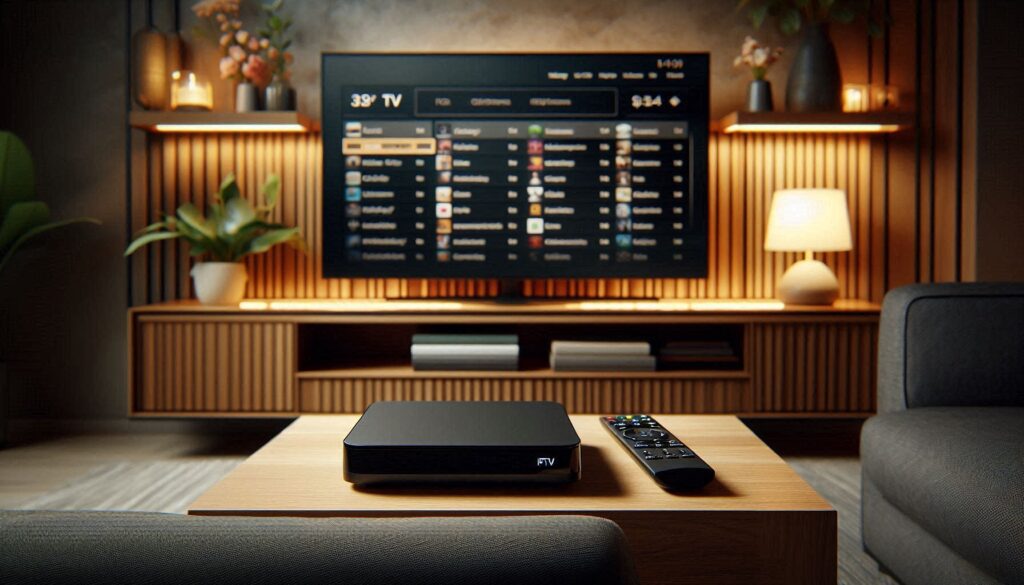
BuzzTV is one of the most popular IPTV set-top boxes in Canada, known for its cable TV-like interface and dedicated IPTV remote control. Whether you just bought a BuzzTV XRS 4500, XR 4000, or an older model, this complete BuzzTV setup guide walks you through unboxing to first channel in under 10 minutes.
We’ve tested BuzzTV boxes extensively on Canadian ISPs including Bell, Rogers, Telus, and Shaw. In this guide, we cover initial setup, IPTV configuration, best settings for Canadian viewers, and honest pros and cons based on real-world use.
Need an IPTV subscription for your BuzzTV box? Start a free trial with IPTVStore — our service works perfectly with all BuzzTV models.
Table of Contents
−What Is BuzzTV?
BuzzTV is a Canadian company that manufactures Android-based IPTV set-top boxes designed specifically for IPTV streaming. Unlike general-purpose devices like the Amazon Firestick, BuzzTV boxes come with a custom IPTV-optimized launcher, a traditional IR remote with dedicated PVR and channel buttons, and pre-installed apps for IPTV viewing.
Think of a BuzzTV box as the bridge between cable TV and IPTV. It looks and feels like a cable box, but streams content over the internet. This makes it especially popular among Canadians transitioning from Bell, Rogers, or Telus cable service to IPTV as a cable alternative.
BuzzTV Models Comparison (2026)
BuzzTV has released several models over the years. Here’s how the current and recent models compare:
| Model | Processor | RAM | Storage | Wi-Fi | Ethernet | Price (CAD) |
|---|---|---|---|---|---|---|
| XRS 4500 (Latest) | Amlogic S905X4-J | 4GB DDR4 | 32GB | Wi-Fi 6 | Gigabit | $189 |
| XRS 4000 | Amlogic S905X4 | 4GB DDR4 | 32GB | Wi-Fi 5 | Gigabit | $169 |
| XR 4000 | Amlogic S905X3 | 2GB | 16GB | Wi-Fi 5 | 100Mbps | $129 |
| XPL 3000 (Older) | Amlogic S905X2 | 2GB | 8GB | Wi-Fi 5 | 100Mbps | Discontinued |
Our recommendation: The BuzzTV XRS 4500 is the best current model with Wi-Fi 6, 4GB RAM, and Gigabit Ethernet. If you’re on a budget, the XRS 4000 offers nearly identical performance for $20 less. For a full comparison with other devices, see our best IPTV box Canada guide.
Step-by-Step BuzzTV Setup Guide
Step 1: Unbox and Connect
- Connect the HDMI cable from the BuzzTV box to your TV’s HDMI port
- Plug in the power adapter to the BuzzTV box and a wall outlet
- Connect an Ethernet cable (strongly recommended) from your router to the BuzzTV box. Wi-Fi works too, but Ethernet provides the most stable IPTV streaming, especially during peak hours when buffering is common
- Insert batteries into the BuzzTV remote
- Turn on your TV and switch to the correct HDMI input
Step 2: Initial Device Setup
- The BuzzTV will boot to the initial setup wizard
- Select your language (English or French for Canadian users)
- Connect to your Wi-Fi network if not using Ethernet
- Sign in with your Google account (optional but recommended for app updates)
- Allow the device to check for system updates — install any available updates before proceeding
- Once complete, you’ll see the BuzzTV home launcher
Step 3: Update the BuzzTV Firmware
- Go to Settings → About → System Update
- If an update is available, download and install it
- The box will restart automatically after the update
- This ensures you have the latest features, security patches, and performance improvements
How to Configure IPTV on Your BuzzTV Box
Once your BuzzTV is set up and updated, you need to add your IPTV subscription. There are two main methods:
Method 1: Using the BuzzTV IPTV Portal (Recommended)
- From the BuzzTV home screen, open the BuzzTV IPTV app (pre-installed)
- Go to Settings → Portal Settings
- Enter your IPTV provider’s portal URL (your provider will give you this)
- Enter your username and password or MAC address if required
- Press Save and restart the app
- Your channels should load within 30-60 seconds
Method 2: Using IPTV Smarters Pro or TiviMate
Since BuzzTV runs Android, you can install any IPTV player app from the Google Play Store:
- Open the Google Play Store on your BuzzTV
- Search for IPTV Smarters Pro or TiviMate
- Install the app
- Open it and log in with your Xtream Codes API credentials (username, password, server URL)
- Your channels will load automatically
Which method is better? The built-in BuzzTV portal is simpler and uses the optimized BuzzTV interface. IPTV Smarters Pro offers more features like multi-screen and catch-up TV. We recommend trying both and using whichever you prefer.
Best BuzzTV Settings for Canadian Viewers
| Setting | Recommended Value | Why |
|---|---|---|
| Display Resolution | 4K (2160p) or 1080p | Match your TV’s native resolution |
| HDMI Mode | Auto | Lets BuzzTV negotiate the best settings with your TV |
| Network | Ethernet (wired) | Most stable for IPTV — eliminates Wi-Fi interference |
| DNS | 1.1.1.1 or 8.8.8.8 | Faster DNS resolution than ISP defaults |
| EPG Timezone | EST/CST/MST/PST | Match your Canadian province for accurate TV guide |
| Buffer Size | Medium-High | Reduces buffering on Canadian ISPs during peak NHL/sports nights |
| Audio Output | HDMI Passthrough | Best audio quality for soundbar/receiver setups |
BuzzTV Review: Honest Pros and Cons
After 3 months of daily use with the BuzzTV XRS 4500, here’s our honest assessment:
Pros
- Cable TV-like experience: The IR remote with channel up/down, guide, and PVR buttons feels natural for former cable subscribers
- IPTV-optimized launcher: The home screen is built for IPTV — quick access to live TV, EPG, and favourites
- Built-in Gigabit Ethernet: No adapter needed, stable wired connection out of the box
- 4GB RAM + 32GB storage: Plenty of power and space for multiple IPTV apps and catch-up recordings
- Wi-Fi 6 support (XRS 4500): Fastest wireless standard for those who can’t use Ethernet
- Canadian company: BuzzTV is based in Canada, understands Canadian IPTV needs
Cons
- Higher price: $189 CAD vs $79 for a Firestick 4K Max — over double the cost
- Limited mainstream apps: Netflix, Disney+, and some streaming apps aren’t optimized for the BuzzTV launcher
- Not sold on Amazon.ca: You need to buy from IPTV resellers or specialty stores, which means less buyer protection
- Learning curve: The BuzzTV interface is different from standard Android TV — takes a day to learn
- Occasional firmware bugs: Some users report EPG glitches after updates (usually fixed within weeks)
Verdict: The BuzzTV XRS 4500 is excellent for Canadians who want a cable TV replacement experience. If you primarily watch IPTV and want a dedicated device with a proper remote, it’s worth the premium. If you also use Netflix, YouTube, and other apps regularly, a Firestick is more versatile.
BuzzTV vs Firestick: Which Is Better for IPTV in Canada?
| Feature | BuzzTV XRS 4500 | Fire TV Stick 4K Max |
|---|---|---|
| Price | $189 CAD | $79 CAD |
| IPTV Experience | Excellent (dedicated) | Good (via apps) |
| Remote | IR + Bluetooth, cable-style | Bluetooth, Alexa voice |
| Ethernet | Built-in Gigabit | Adapter needed ($19) |
| RAM | 4GB DDR4 | 2GB |
| Storage | 32GB | 16GB |
| Mainstream Apps | Limited | Excellent (Netflix, Disney+, etc.) |
| Best For | Dedicated IPTV users | All-round streaming |
Bottom line: Choose BuzzTV if IPTV is your primary use and you want a cable TV-like experience. Choose Firestick if you want IPTV plus Netflix, YouTube, Disney+, and other apps. For most Canadian households, we recommend starting with the Firestick and upgrading to BuzzTV later if needed. See all options in our best IPTV box Canada guide.
Troubleshooting Common BuzzTV Issues
No Signal / Black Screen
- Check HDMI cable: Try a different HDMI cable or port on your TV
- Check power: Ensure the power adapter is fully connected and the LED light is on
- Try a different TV input: Switch between HDMI 1, 2, 3 on your TV
- Factory reset: Hold the reset button on the back of the box for 10 seconds
Buffering During Live TV
- Switch to Ethernet: The #1 fix for buffering on any IPTV device in Canada
- Change DNS: Go to Settings → Network → DNS and enter 1.1.1.1 (Cloudflare) or 8.8.8.8 (Google)
- Close background apps: Hold the Home button and close unused apps
- Check your internet speed: Run a speed test at Speedtest.net — you need 25+ Mbps for HD, 50+ for 4K
- For more solutions, read our full IPTV buffering fix guide
Remote Not Working
- Replace batteries: BuzzTV remotes use AAA batteries — try fresh ones
- Re-pair the remote: Point the remote at the box and press Menu + OK simultaneously for 5 seconds
- Check line of sight: The IR sensor needs a clear path between the remote and the box front panel
Frequently Asked Questions About BuzzTV
Is BuzzTV legal in Canada?
Yes, buying and using a BuzzTV box is completely legal in Canada. It’s just an Android streaming device — like buying a smart TV. The legality depends on the IPTV service you use with it, not the hardware itself. The CRTC regulates broadcasting, not the devices. Read our full IPTV legality guide for Canada.
Where can I buy BuzzTV in Canada?
BuzzTV boxes are not available on Amazon.ca. You can buy them from the official BuzzTV website, authorized IPTV resellers, or electronics stores that carry IPTV equipment. Prices typically range from $129-$189 CAD depending on the model.
Does BuzzTV come with IPTV channels?
No. BuzzTV is just the hardware — you need a separate IPTV subscription to access channels. The box comes with the IPTV player app pre-installed, but you need to add your own provider’s credentials. IPTVStore offers a free trial that works with all BuzzTV models.
How much does BuzzTV cost?
BuzzTV boxes range from $129 to $189 CAD in 2026. The latest XRS 4500 costs $189, while the older XR 4000 can be found for $129. You’ll also need an IPTV subscription ($10-$25/month). See our complete IPTV cost breakdown for Canada.
Can I use Netflix on BuzzTV?
Yes, but with limitations. BuzzTV runs Android, so you can install Netflix from the Play Store. However, Netflix may not be certified on all BuzzTV models, which means you might be limited to SD quality instead of HD/4K. For the best Netflix experience, use a separate Firestick or Chromecast.
Is BuzzTV better than Firestick for IPTV?
For dedicated IPTV use, yes. The BuzzTV remote, EPG interface, and channel navigation are designed specifically for live TV viewing. However, the Firestick is better as an all-around streaming device. Most Canadian IPTV users find the Firestick sufficient — consider BuzzTV if you want the premium cable TV-like experience.
Conclusion: Is BuzzTV Worth It for Canadian IPTV Users?
BuzzTV is worth the investment if you want a dedicated IPTV experience that feels like traditional cable TV. The XRS 4500 delivers excellent performance with 4GB RAM, Wi-Fi 6, Gigabit Ethernet, and the best IPTV-focused remote on the market.
However, at $189 CAD, it’s not for everyone. If you’re happy using apps like IPTV Smarters Pro on a Firestick, you can save $110 and still get great IPTV quality. The BuzzTV is the premium choice for cord-cutters who miss the cable TV experience.
Ready to try IPTV on your BuzzTV box? Get a free trial from IPTVStore — we support all BuzzTV models with easy setup assistance. Compare our IPTV subscription plans and pricing to find the right plan for your household.